← All guides
💳
AccountsEvery wallet, bank & card in one place
Accounts keep cash, bank balances and credit cards organized separately while still rolling up into one net-worth figure. Cards get extra fields for statement day and credit limit.
Guide 4 of 11
Overview
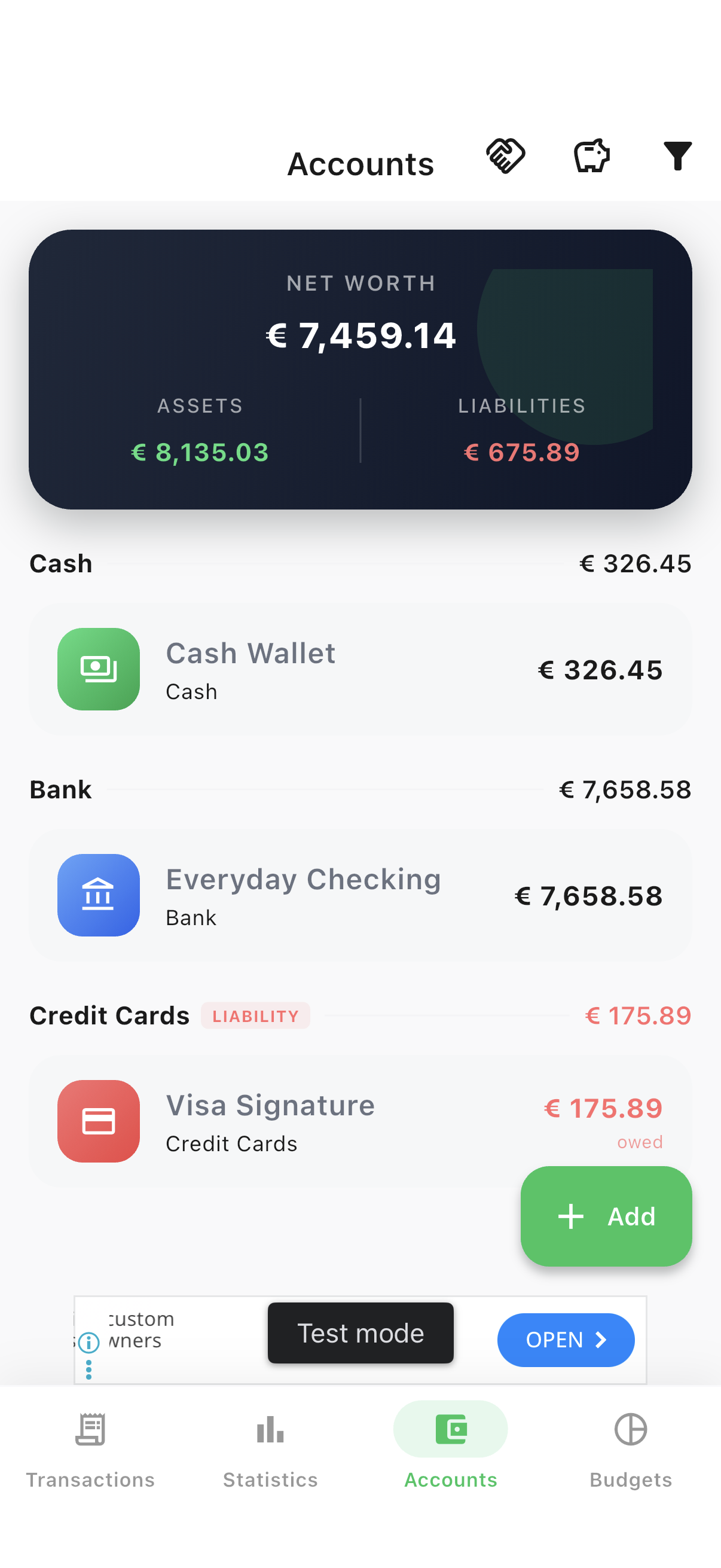
Assets, liabilities & net worth up top
Accounts are grouped by type — Cash, Bank, Credit Cards and beyond — with a running subtotal for each group.
- 1Open the Accounts tab to see your net worth card and every account grouped by type.
Detail
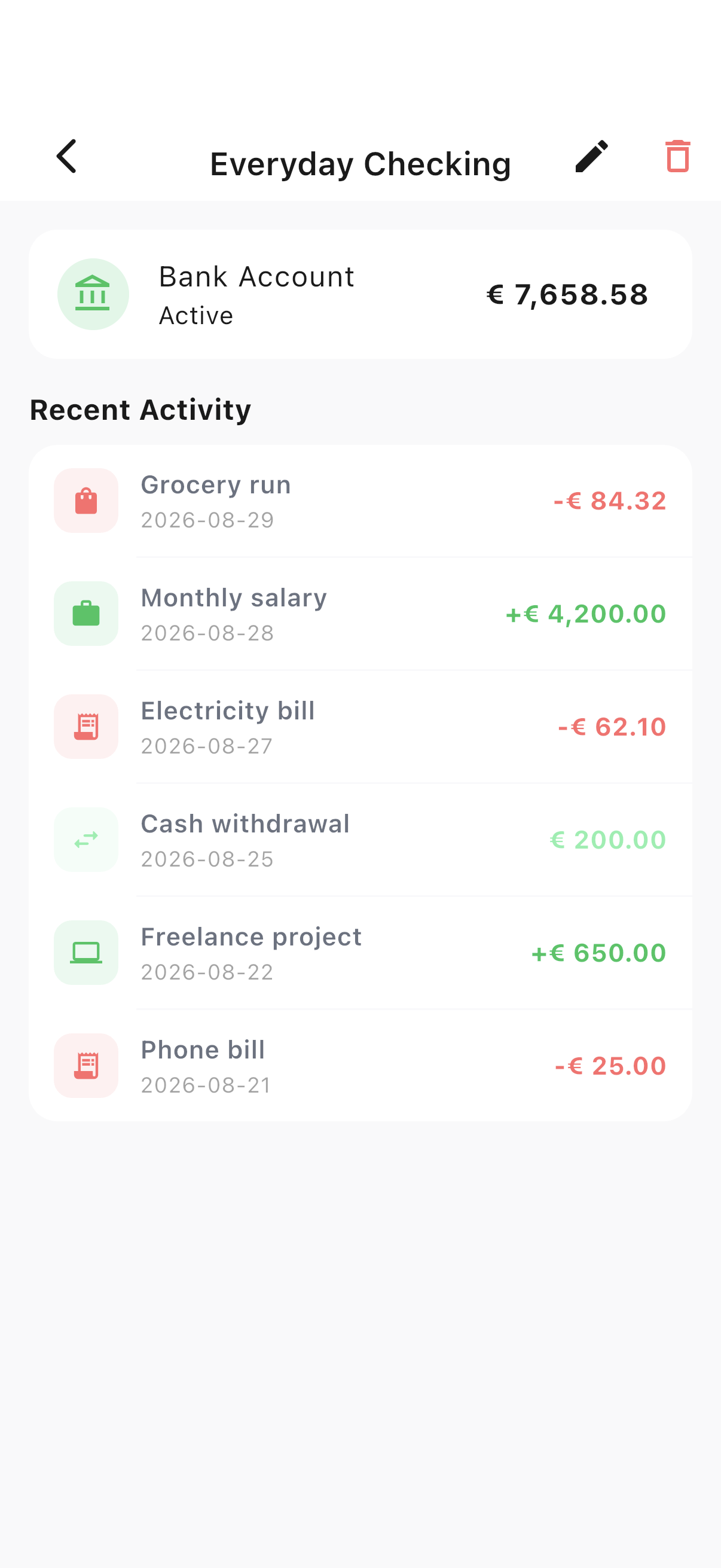
Drill into any account
See an account’s full transaction history and running balance on its own page.
- 1Tap any account in the list to open its detail view.
Add
Add a new account
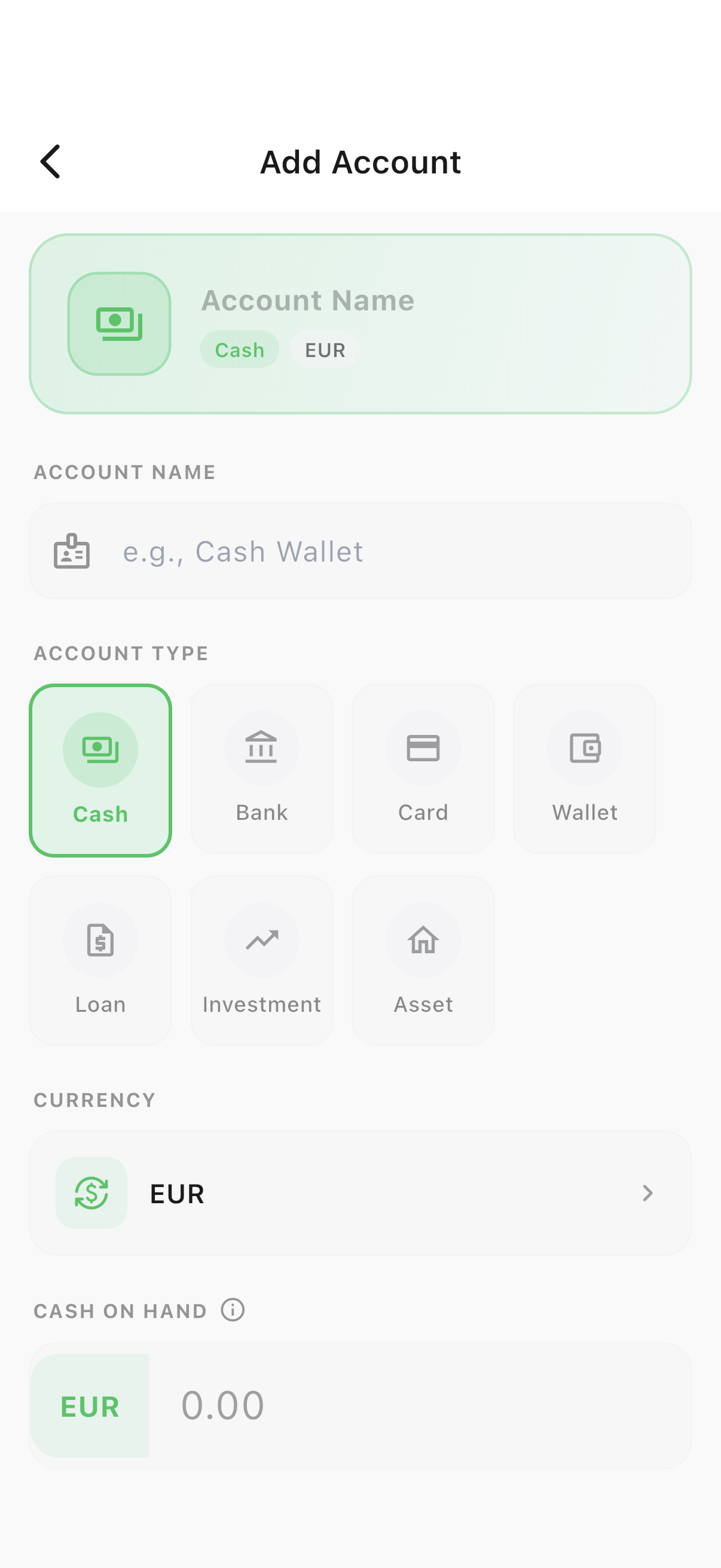
Seven account types are supported: Cash, Bank, Card, Wallet, Loan, Investment and Asset.
- 1Tap the + button on the Accounts tab.
- 2Pick a type, then set a name, currency and opening balance.
Credit cards
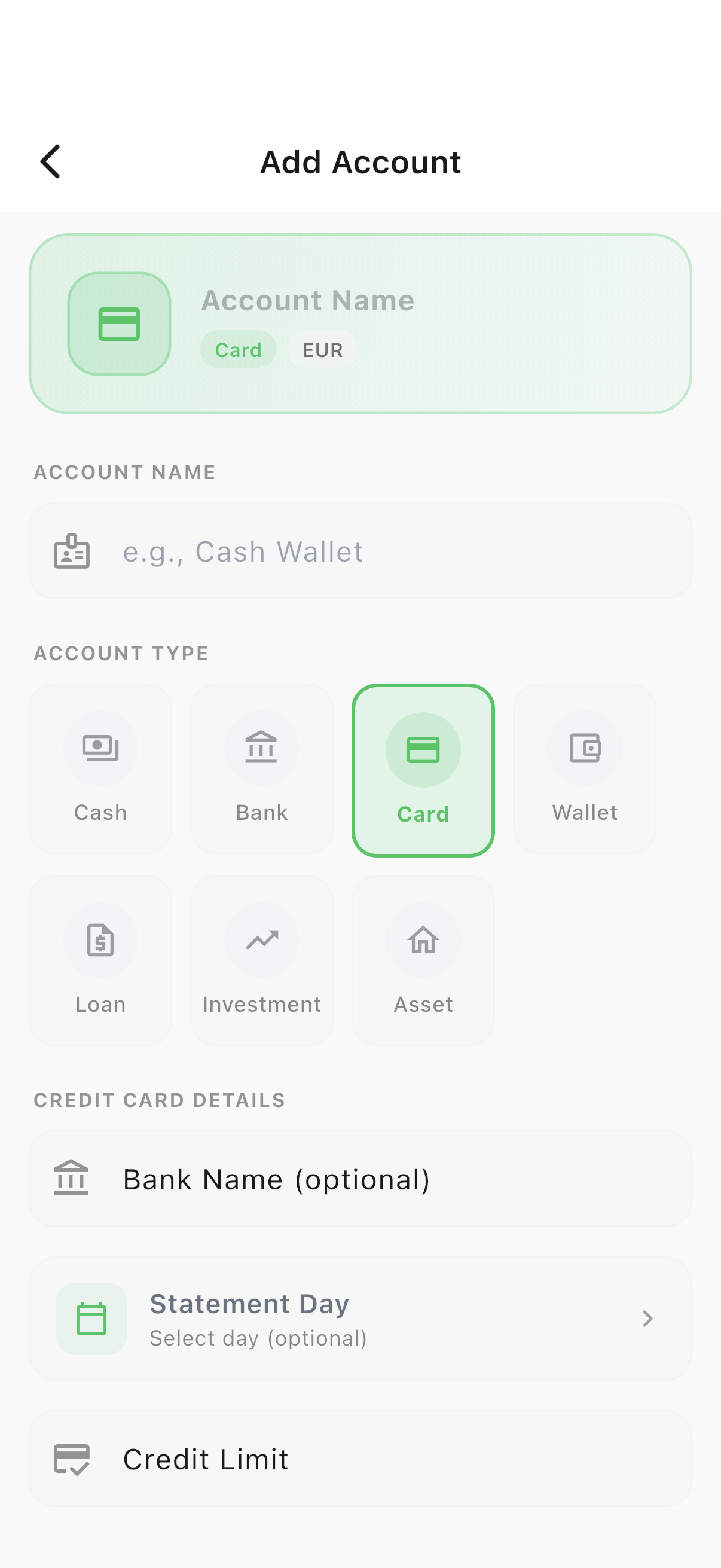
Track a card’s statement day & limit
Credit card accounts unlock extra fields so Spencio can track available credit and remind you before a bill is due.
- 1Choose the "Card" type, then add the bank name, statement day and credit limit.
Ready to try it yourself?
Spencio is free to download on iOS and Android — every feature in this guide is included.