← All guides
🤝
Beyond spendingKeep track of money you lend or borrow
Loans is a dedicated ledger for personal lending — money you’ve given to friends or family, and money you’ve taken from them — separate from your everyday transactions but still linked to an account.
Guide 5 of 11
Overview
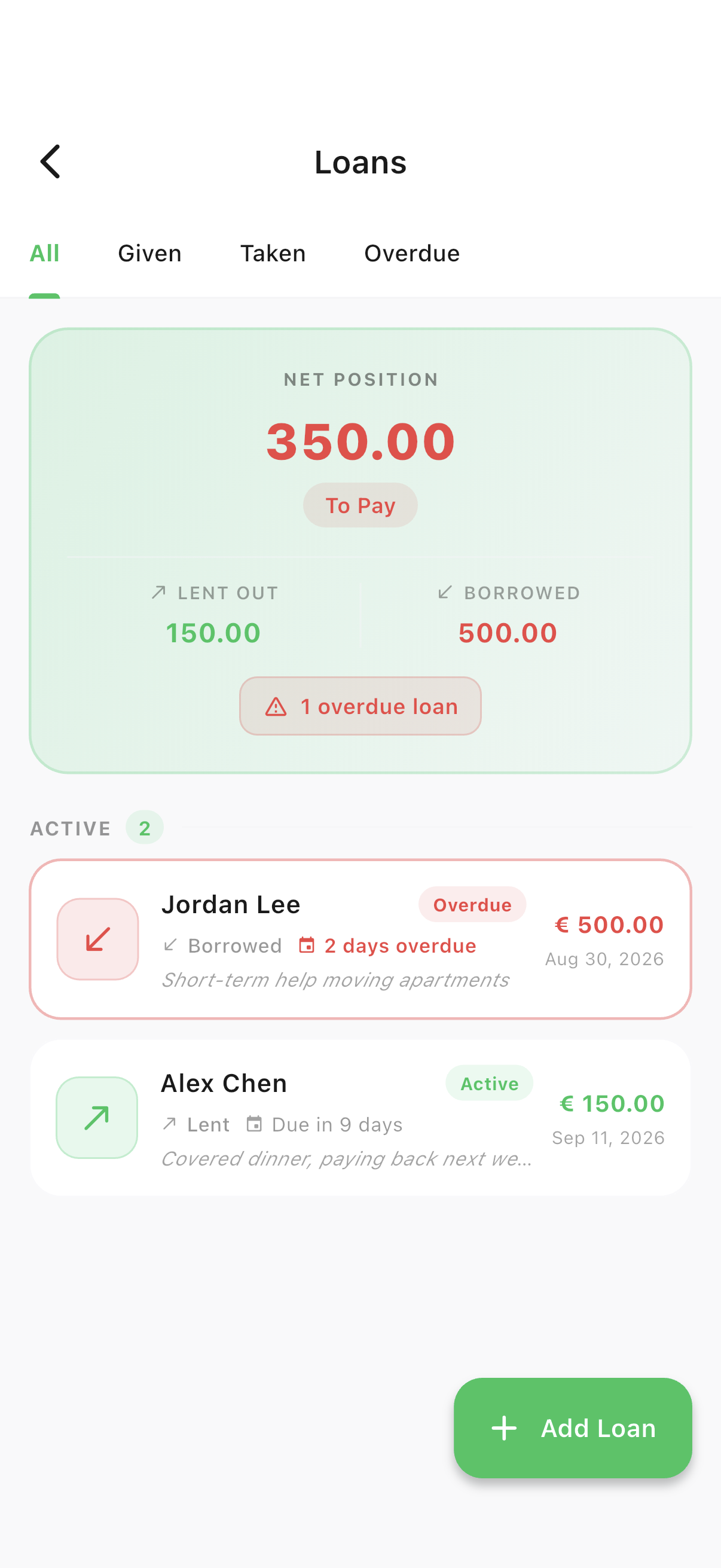
Net position, lent out & borrowed
Loans lives inside Accounts, not the menu — look for the handshake icon in the top-right corner.
- 1Open the Accounts tab, then tap the handshake icon in the app bar.
- 2Use the All / Given / Taken / Overdue tabs to filter, and check the net position card for your overall balance.
Add
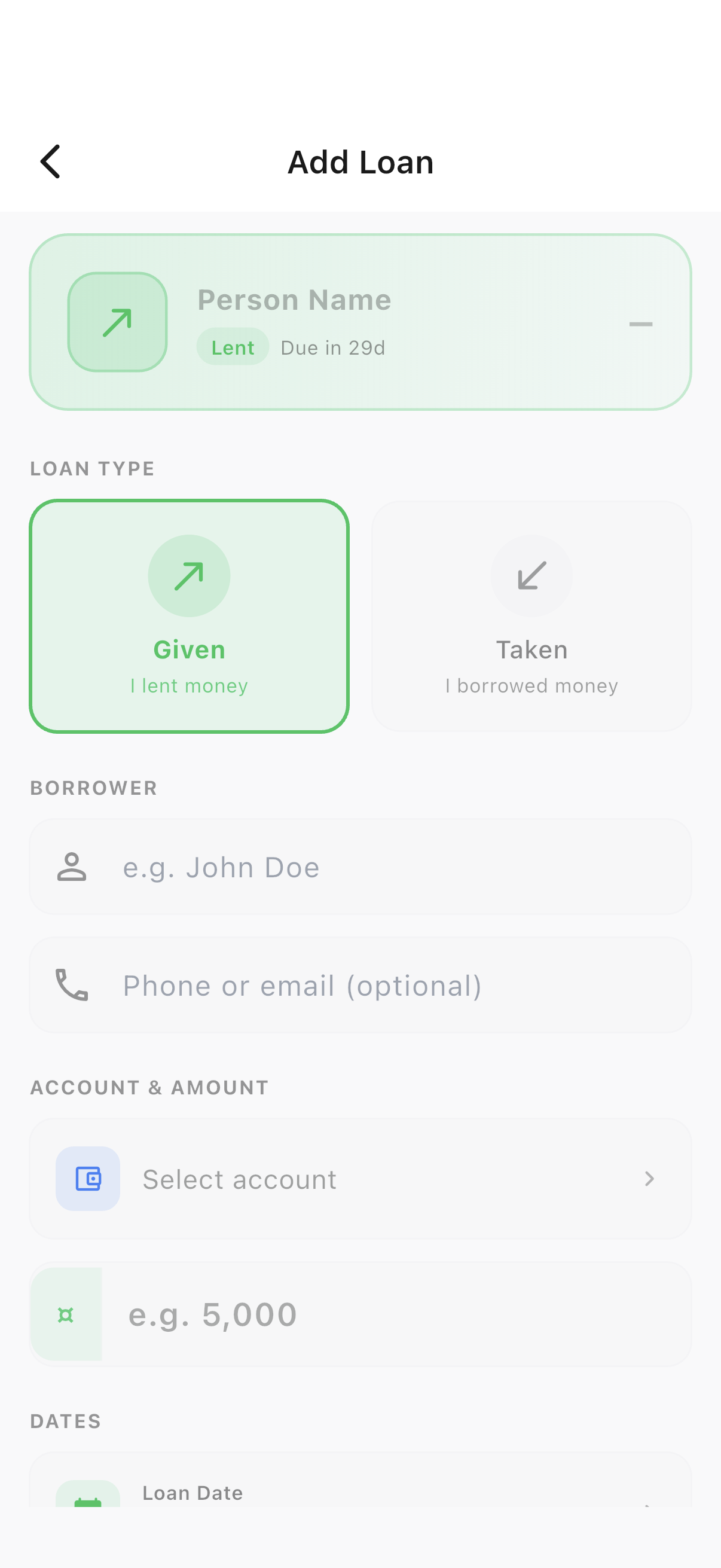
Record a loan given or taken
Every loan links to one of your accounts, so settling it later can move real money.
- 1Tap "Add Loan", choose Given or Taken, then enter the person’s name, amount, linked account and due date.
Settle
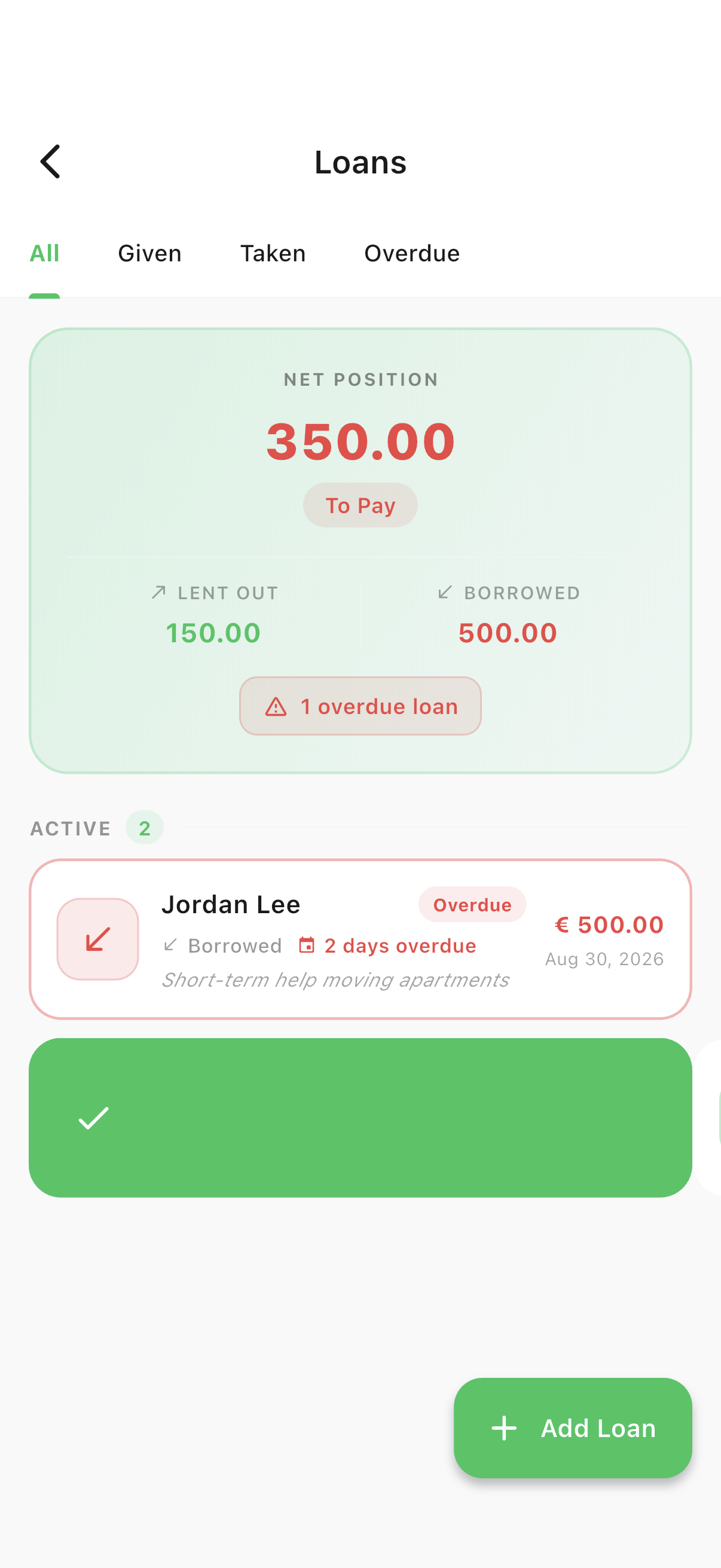
Settle a loan with one swipe
Swipe a loan card right to settle it (or left to delete it) — the sheet lets you record a full or partial payment.
- 1Swipe a loan card to the right to open the settle sheet.
Overdue
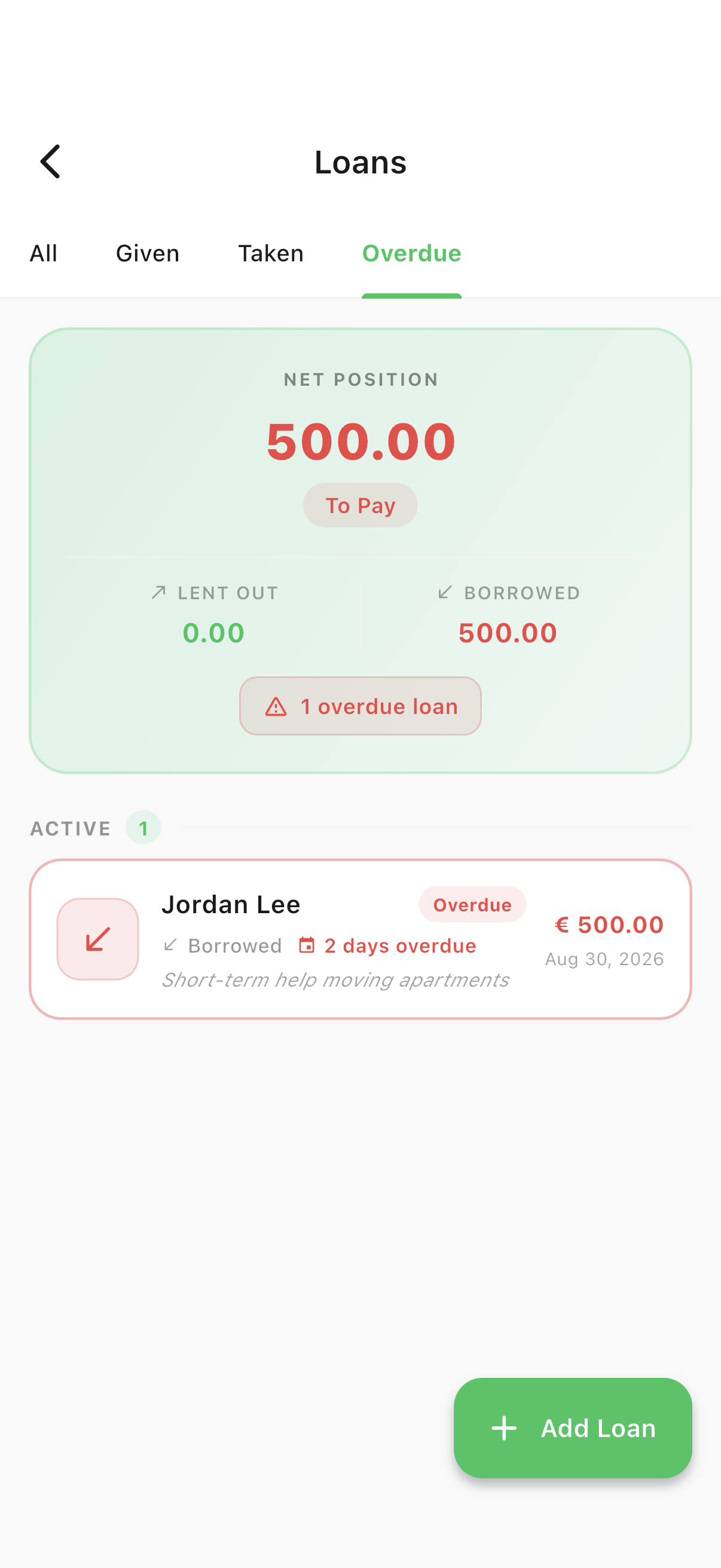
Never miss a due date
Anything past its due date surfaces automatically in the Overdue tab — no manual tracking needed.
- 1Tap the "Overdue" tab to see everything that’s past due at a glance.
Ready to try it yourself?
Spencio is free to download on iOS and Android — every feature in this guide is included.