← All guides
⚙️
PreferencesSign-in, notifications & Premium
Settings is where you manage sign-in for backup & restore, notifications, and Spencio Premium. Premium removes ads and unlocks Bank SMS Automation; everything else covered in this guide stays free.
Guide 10 of 11
Account & PremiumFree & Premium
Sign in for backup, or go Premium
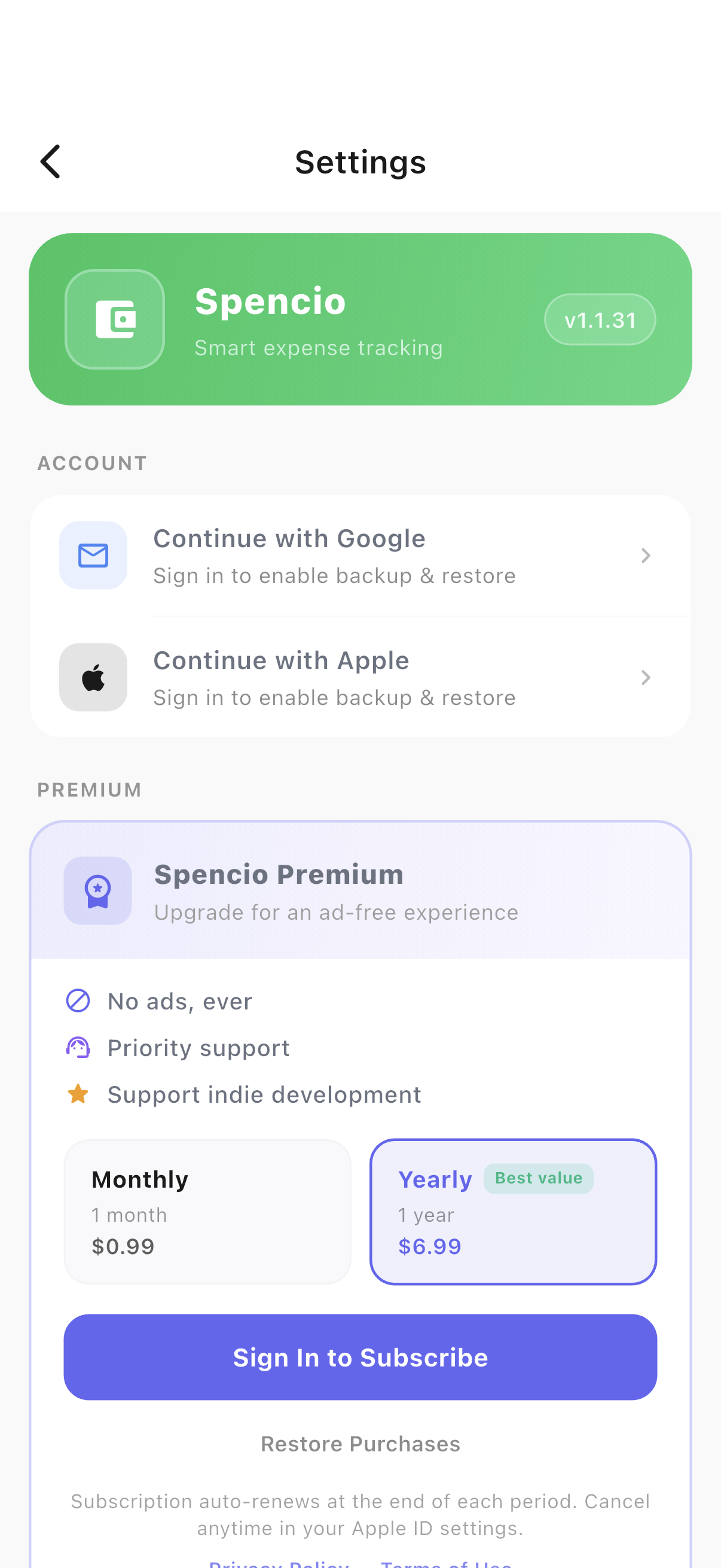
Signing in with Google or Apple enables backup & restore and is required to subscribe to Premium, which removes ads and unlocks Bank SMS Automation for $0.99/month or $6.99/year.
- 1Open Settings from the ☰ menu.
- 2Tap "Continue with Google" or "Continue with Apple" to enable backup & restore.
- 3From the Premium card, compare plans and tap "Sign In to Subscribe" — or "Restore Purchases" if you’ve already bought Premium elsewhere.
Notifications & About
Reminders, and the fine print
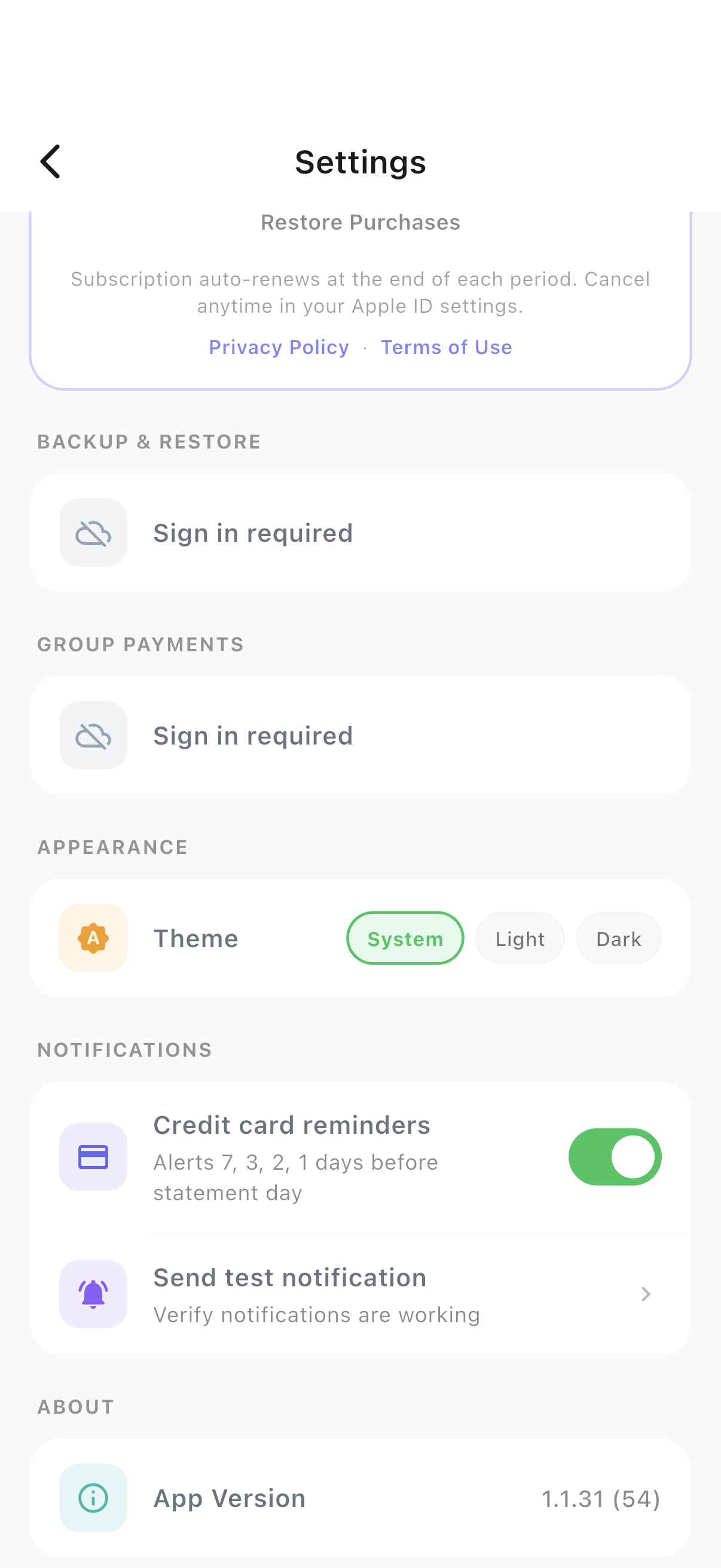
Turn on notifications for reminders, including credit-card statement-day alerts for cards with a statement day set.
- 1Scroll down for notification toggles and a test-notification button.
- 2Privacy Policy and Terms of Use links sit at the bottom of Settings.
Ready to try it yourself?
Spencio is free to download on iOS and Android — every feature in this guide is included.